
Export Zillow Listings to Google Sheets in One Click
Copy property listing data to Google Sheets instantly
See It in Action
Watch how Listing2Sheets exports a property to Google Sheets in seconds.
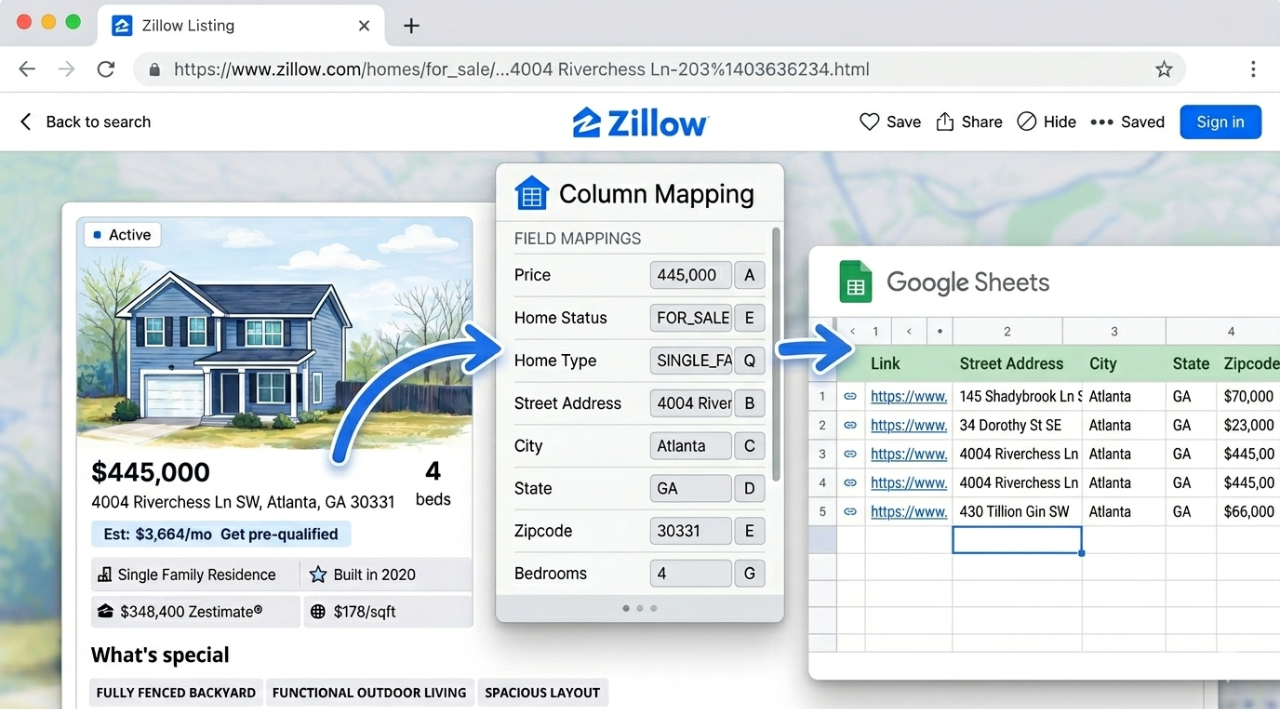
50+ Zillow Data Fields Exported to Google Sheets
Every detail on the listing page. Structured, mapped to your columns, and ready for analysis.
Property Basics
Address, price, beds, baths, sqft, lot size, year built, property type, listing status
Financials
Zestimate, rent estimate, HOA fee, tax assessment, price per sqft, annual tax
Schools & Location
Up to 5 nearby schools with name, rating, grades, and distance
Price & Tax History
Full price event timeline and annual tax assessment records
Listing & Agent Info
MLS ID, days on market, listing agent, brokerage, contact details
Property Features
Parking, heating, cooling, appliances, interior details, exterior features
Built for Real Estate Professionals
Whether you're an agent building CMAs, an investor analyzing deals, or an analyst collecting market data — this Zillow data export tool fits your workflow.
Agents
Build CMAs, track active listings for clients, and keep inventory spreadsheets current without manual data entry.
Investors & Wholesalers
Analyze deals faster. Export comparable sales, tax history, and financial data to evaluate properties at scale.
Analysts & Researchers
Collect structured property data for market reports, trend analysis, or portfolio tracking.
.png)
Listing Data, Straight to Your Spreadsheet
Stop copying and pasting property details one field at a time. Listing2Sheets reads the listing page and sends the data directly to Google Sheets — address, price, beds, baths, sqft, and 50+ more fields, all in the columns you choose.
- No manual data entry
- You control which fields go where
- Works on any Zillow listing page
- Bulk export all listings from a search results page at once
Export Zillow Listings in 4 Steps
Install the Chrome extension, link Google Sheets, and start exporting in under two minutes.
Install the Extension
Add "Listing2Sheets" from the Chrome Web Store in one click. It's free and takes under 10 seconds.
Create Account & Link Google
Sign up on listing2sheets.com, then click the extension icon and hit "Link Google Account" to authorize Sheets access.
Open Any Zillow Listing
Navigate to a property on zillow.com. The extension automatically detects the listing and extracts 50+ data fields.
Map Fields & Export
Click the gear icon to configure which fields go to which columns in your sheet. Hit "Send to Sheets" — done.
Start Exporting Today
Export your first listing in under 2 minutes. Simple setup, no spreadsheet formulas.
Start Free Today